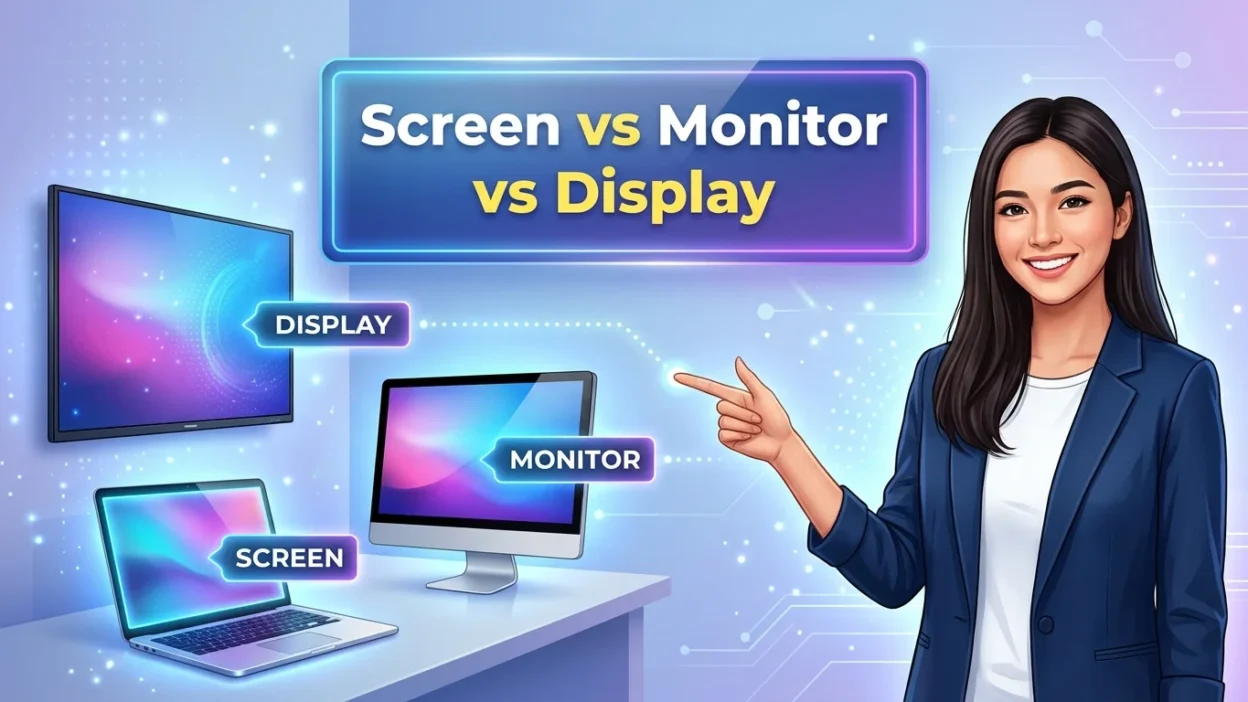
The words screen, monitor, and display are closely related, but they don’t always mean the same thing. People often use them interchangeably when talking about computers, televisions, smartphones, and other electronic devices.
However, each word has a slightly different meaning and purpose. A screen usually refers to the surface where images, text, and videos appear. A monitor is a separate electronic device that shows visual information, commonly connected to a computer.
A display is a broader term for the visual output or technology used to present information. Understanding screen vs monitor vs display can help you choose the right word in everyday conversations, technical writing, and product descriptions.
Screen vs Monitor vs Display: Quick Answer
Here is the simplest explanation:
- Screen = the visible surface where images, text, videos, or information appear.
- Monitor = a separate electronic device used to show visual information, especially with a desktop computer.
- Display = the general or technical term for something that presents visual information.
For example:
“My phone screen is cracked.”
“I bought a new computer monitor.”
“This laptop has a high-resolution display.”
All three sentences are correct, but each word has a slightly different focus.
What Does “Screen” Mean?
The word screen is the most common and flexible term of the three. It usually means the flat surface on an electronic device where you can see pictures, text, videos, apps, or other visual information.
You can have a screen on many different devices, including:
- Smartphones
- Tablets
- Laptops
- Televisions
- Computers
- Smartwatches
- Car systems
- Gaming devices
- ATMs
- Cameras
The word screen is especially common in everyday English.
Screen as a Noun
As a noun, screen refers to the part of a device that shows visual information.
For example:
“My phone screen is too bright.”
“The laptop screen looks sharp.”
“Please clean the TV screen.”
“I accidentally dropped my tablet and cracked the screen.”
These sentences all use screen as a noun.
Screen as a Verb
Screen can also be used as a verb, although this meaning is different from simply looking at a screen.
For example:
“The airport screens passengers before boarding.”
Here, screen means to check or examine someone or something.
It can also mean to show a movie or program:
“The cinema will screen the new movie tonight.”
Therefore, the word screen has several meanings depending on context.
Common Uses of “Screen”
You will often hear phrases such as:
- Phone screen
- Computer screen
- Laptop screen
- TV screen
- Touchscreen
- Lock screen
- Home screen
- Screen size
- Screen brightness
- Screen resolution
- Screen protector
- Screen time
For example:
“I spend too much time looking at my phone screen.”
Here, screen sounds completely natural.
What Does “Monitor” Mean?

A monitor is an electronic device that shows information from a computer or another source.
The word is most commonly associated with desktop computers.
For example:
“I need a larger monitor for my office.”
“The monitor is connected to my computer.”
“This monitor has a 4K resolution.”
A traditional computer setup may include a computer tower, keyboard, mouse, and monitor.
Monitor as a Separate Device
The key idea behind monitor is that it usually refers to a separate piece of hardware.
Imagine a desktop computer sitting on a desk. The large rectangular device showing Windows, applications, websites, and videos is usually called a monitor.
For example:
“I bought a new 27-inch monitor.”
This sentence suggests that the screen is a separate computer display.
Monitor Can Also Be a Verb
Like screen, the word monitor can also function as a verb.
As a verb, monitor means to watch, check, or observe something over time.
For example:
“The teacher monitored the students during the exam.”
“We need to monitor the computer’s temperature.”
“The doctor monitored the patient’s condition.”
This meaning has nothing specifically to do with a computer monitor.
Monitor in Different Contexts
The word monitor can refer to different types of equipment.
Examples include:
- Computer monitor
- Baby monitor
- Heart monitor
- Security monitor
- Gaming monitor
- Studio monitor
- Patient monitor
However, when people discuss computers, monitor usually means a separate display device.
What Does “Display” Mean?
Display is a broader word than monitor. It can describe the technology, surface, or system that presents visual information.
For example:
“This phone has a bright display.”
“The laptop has a high-resolution display.”
“The display looks clear in direct sunlight.”
In technical writing, product descriptions, and specifications, display is extremely common.
Display as a Noun
As a noun, display can mean something that shows information.
For example:
“The display shows the current temperature.”
“The phone’s display is very bright.”
“The digital display shows the time.”
In technology, display often focuses on the visual output rather than the entire device.
Display as a Verb
Display can also be used as a verb.
It means to show something.
For example:
“The screen displays the message.”
“The monitor displays the image.”
“The website displays the latest information.”
Here, display describes the action of showing information.
This is an important difference because screen and monitor are often nouns referring to physical things, while display can describe both a physical component and the act of showing something.
Screen vs Monitor vs Display: Main Difference
The three words overlap, but their typical uses are different.
| Word | Basic Meaning | Common Context | Example |
| Screen | Surface where visual information appears | Phones, TVs, laptops, tablets | “My phone screen is cracked.” |
| Monitor | Separate device that shows computer output | Desktop computers | “I bought a new monitor.” |
| Display | General or technical term for visual output | Phones, laptops, monitors, specifications | “This phone has an OLED display.” |
The most important point is that these words are not always completely interchangeable.
Is a Screen the Same as a Monitor?
Not exactly.
A monitor has a screen, but the word monitor usually refers to the complete external device.
For example, imagine a desktop computer.
The entire external display unit is the monitor. The actual surface where you see the image can be called the screen.
You can say:
“The monitor is sitting on my desk.”
You can also say:
“The monitor screen is dirty.”
However, in everyday conversation, people often simply call the entire device a screen.
For example:
“Look at the screen.”
This is perfectly natural, even when referring to a desktop monitor.
Is a Display the Same as a Screen?
In many everyday situations, display and screen can refer to the same physical area.
For example:
“The phone screen is bright.”
“The phone display is bright.”
Both sentences are understandable and natural.
However, display often sounds more technical.
For example, manufacturers may say:
“The phone features a 6.7-inch OLED display.”
An ordinary user may simply say:
“The phone has a large screen.”
The difference is often about context and emphasis, rather than a completely different object.
Screen vs Monitor in Everyday English
If you are talking about a desktop computer, monitor is often the more precise word.
For example:
“I need a new monitor for my PC.”
But if you are simply talking about what you see, screen is often more natural.
“The screen is frozen.”
Both can work:
“My monitor is frozen.”
“My screen is frozen.”
The first sentence focuses more on the hardware. The second focuses more on what you are seeing.
Monitor vs Display in Technical English
The difference becomes clearer in technical contexts.
A monitor is normally a complete physical device.
A display can refer to the visual component or the technology used to produce the image.
For example:
“This monitor has a 27-inch display.”
This sentence makes sense because the monitor is the device, while the display is the visual component.
You may also see phrases such as:
- OLED display
- LCD display
- AMOLED display
- Retina display
- High-resolution display
- Touch display
- Flexible display
These expressions describe the technology or characteristics of the visual panel.
Screen vs Display on a Phone
For smartphones, screen is usually the most natural word in casual conversation.
For example:
“I dropped my phone and broke the screen.”
You would rarely need to say:
“I dropped my phone and broke the display.”
However, display is very common in technical descriptions.
For example:
“The phone uses an AMOLED display.”
So, when discussing a phone:
Everyday conversation: screen
Technical specifications: display
Screen vs Display on a Laptop
Both words are common for laptops.
You might say:
“My laptop screen is too small.”
Or:
“This laptop has a high-resolution display.”
Again, the choice depends on context.
Screen sounds more conversational.
Display often sounds more technical or product-focused.
Monitor vs Screen on a Desktop Computer
For desktop computers, monitor is usually the clearest word when you mean the separate hardware.
For example:
“My monitor is connected to my desktop.”
You can also say:
“My computer screen is not working.”
Both are understandable.
However, monitor specifically identifies the external display device.
Example
Imagine you have a desktop PC and a 24-inch external display.
You could say:
“I bought a new monitor.”
You could also say:
“The monitor’s screen is scratched.”
But saying:
“I bought a new screen”
is less specific. It could mean a replacement panel, a screen protector, or simply another display.
When Should You Use “Screen”?
Use screen when you are talking casually about the visible surface or viewing area.
Examples
“The screen is cracked.”
“Turn off the screen.”
“My screen is too dark.”
“The screen froze while I was watching a video.”
“I need a screen protector.”
“The phone screen is very bright.”
Screen is especially natural for smartphones, tablets, televisions, and laptops.
When Should You Use “Monitor”?
Use monitor when you mean a separate display device, especially one connected to a desktop computer.
Examples
“I bought a gaming monitor.”
“This monitor supports 4K resolution.”
“Connect the monitor to your computer.”
“My second monitor is not detected.”
“The monitor has two HDMI ports.”
The word monitor is particularly useful when you need to distinguish the display from the computer itself.
When Should You Use “Display”?
Use display when talking about visual output in a general or technical way.
Examples
“The display is very bright.”
“This laptop has a high-resolution display.”
“The display uses OLED technology.”
“The watch has a small digital display.”
“The device displays important information.”
Display works across many types of technology and is common in product specifications.
Screen vs Monitor vs Display Examples
Let’s compare the words in realistic sentences.
Example 1: Smartphone
“I cracked my phone screen.”
This is the most natural everyday expression.
You could also say:
“The phone has an OLED display.”
Here, display fits a technical context.
Calling the phone’s built-in screen a monitor would normally sound incorrect.
Example 2: Desktop Computer
“I bought a new monitor for my computer.”
This is very natural.
You can also say:
“The monitor has a large screen.”
Here, monitor identifies the device, while screen describes its visible area.
Example 3: Laptop
“My laptop screen is dirty.”
This is natural everyday English.
You could also say:
“This laptop has a beautiful display.”
Both are correct, but the second sounds more like a product description.
Example 4: Television
“The TV screen is huge.”
This is natural.
You could also say:
“The TV has a high-quality display.”
However, monitor would usually not be the normal word for a television.
Example 5: Technical Specification
“The device features a 120Hz display.”
Here, display is the appropriate technical term.
Saying:
“The device features a 120Hz screen”
is also understandable, but display is common in specifications.
Can “Screen,” “Monitor,” and “Display” Be Used Interchangeably?
Sometimes, but not always.
In casual conversation, screen and display can often be substituted for each other.
For example:
“The screen is bright.”
“The display is bright.”
Both are understandable.
However, monitor usually has a more specific meaning because it normally refers to a separate hardware device.
For example:
“I bought a new monitor.”
This clearly suggests a separate device.
If you say:
“I bought a new screen.”
the meaning can be less specific.
Common Mistakes With Screen, Monitor, and Display
Understanding the definitions is useful, but knowing common mistakes can help you use these words naturally.
Mistake 1: Calling Every Screen a Monitor
Not every screen is normally called a monitor.
For example:
“My phone monitor is cracked.”
This sounds unnatural.
A better sentence is:
“My phone screen is cracked.”
For a desktop computer:
“My computer monitor is cracked.”
Mistake 2: Assuming Display Always Means a Separate Device
Display does not necessarily mean a separate device.
For example:
“My phone has a beautiful display.”
Here, the display is part of the phone.
Mistake 3: Using Monitor for a Phone
In ordinary English, calling a smartphone’s visual panel a monitor is unusual.
Instead, use:
“phone screen”
or
“phone display.”
Mistake 4: Thinking Screen Is Only a Noun
Screen can also be a verb.
For example:
“The company screens applicants.”
Here, screen means to examine or evaluate people.
Mistake 5: Forgetting That Display Is a Verb
Display can also mean “show.”
For example:
“The monitor displays the image.”
Here, displays is a verb.
Spelling Tips for Screen, Monitor, and Display
All three words are relatively easy to spell, but learners sometimes confuse their forms.
Screen
Correct:
screen
Incorrect examples:
- skreen
- scren
- sceen
Useful forms include:
- screen
- screens
- screened
- screening
Examples:
“The device screens information.”
“The movie was screened yesterday.”
Monitor
Correct:
monitor
Common forms include:
- monitor
- monitors
- monitored
- monitoring
Example:
“The technician is monitoring the system.”
Remember that monitor contains “tor” at the end.
Display
Correct:
display
Common forms include:
- display
- displays
- displayed
- displaying
Example:
“The screen displays the message.”
Screen vs Monitor vs Display: Grammar
These words can all function as nouns, but their grammatical uses differ slightly.
Screen as a Noun
“The screen is dirty.”
Here, screen is the subject.
Screen as a Verb
“The company screens candidates.”
Here, screens is the verb.
Monitor as a Noun
“The monitor is on the desk.”
Here, monitor refers to the hardware.
Monitor as a Verb
“We monitor the system.”
Here, monitor means watch or check.
Display as a Noun
“The display is bright.”
Here, display refers to the visual component.
Display as a Verb
“The device displays the time.”
Here, display means show.
Useful Expressions With “Screen”
Here are some common phrases containing screen:
| Expression | Meaning |
| Phone screen | The visual surface of a phone |
| Computer screen | The area showing computer information |
| Lock screen | The screen shown before unlocking a device |
| Home screen | The main screen containing apps or shortcuts |
| Touchscreen | A screen that responds to touch |
| Screen time | Time spent using a screen/device |
| Screen protector | A protective layer placed over a screen |
| Screen size | The physical size of the viewing area |
| Screen resolution | The number of pixels used to create an image |
For example:
“I need to reduce my screen time.”
Useful Expressions With “Monitor”
Common expressions include:
| Expression | Meaning |
| Computer monitor | A display device for a computer |
| Gaming monitor | A monitor designed for gaming |
| External monitor | A separate monitor connected to another device |
| Second monitor | An additional display device |
| Monitor stand | A stand used to support a monitor |
| Monitor resolution | The resolution supported by a monitor |
| Monitor arm | An adjustable support for a monitor |
For example:
“I use two monitors when I work.”
Useful Expressions With “Display”
Common expressions include:
| Expression | Meaning |
| OLED display | A display using OLED technology |
| LCD display | A display using LCD technology |
| Digital display | A display showing information electronically |
| Touch display | A display that responds to touch |
| High-resolution display | A display with many pixels |
| Display panel | The panel responsible for producing the visual image |
| Display brightness | How bright the display appears |
For example:
“The laptop has a high-resolution display.”
Screen vs Monitor vs Display in American and British English
The basic meanings are generally the same in both American and British English.
However, technology vocabulary can vary slightly by context.
In both varieties, screen is widely used for phones, laptops, televisions, and other devices.
Monitor is commonly used for a separate computer display.
Display is common in technical language and product descriptions.
For example:
“The computer monitor is on the desk.”
works naturally in both American and British English.
Likewise:
“The phone screen is cracked.”
is widely understood in both varieties.
Screen vs Monitor vs Display in Product Descriptions
Technology companies often use display when describing specifications.
You might see:
- 6.5-inch display
- 120Hz display
- OLED display
- Full HD display
- High-resolution display
- Edge-to-edge display
Retailers may use monitor when listing external computer displays.
For example:
- 24-inch monitor
- 27-inch gaming monitor
- 4K monitor
- Curved monitor
- Ultrawide monitor
Consumers commonly use screen in everyday conversation.
For example:
“The laptop has a large screen.”
This difference helps explain why you may see all three words while shopping for technology.
Screen vs Monitor vs Display: Easy Memory Trick
You can remember the difference with this simple rule:
Screen = what you look at
Monitor = the separate device
Display = what shows information
For example:
“I looked at my screen.”
“I bought a new monitor.”
“The display shows the battery percentage.”
This isn’t a strict rule for every technical situation, but it works well for everyday English.
More Examples to Understand the Difference
Here are additional examples.
Example Sentences With Screen
- “My phone screen is cracked.”
- “The screen turned black.”
- “Clean the laptop screen.”
- “The TV screen is very large.”
- “Don’t stare at the screen for too long.”
Example Sentences With Monitor
- “My monitor is connected to my PC.”
- “I need a second monitor.”
- “This monitor is excellent for gaming.”
- “The monitor stopped working.”
- “Move the monitor closer to your desk.”
Example Sentences With Display
- “The phone has a bright display.”
- “The display shows the current temperature.”
- “This laptop uses an OLED display.”
- “The digital display is easy to read.”
- “The device displays a warning message.”
Which Word Should You Use?
If you are unsure, think about the situation.
Talking About a Phone
Use screen in normal conversation.
“My phone screen is broken.”
Use display when discussing specifications.
“The phone has an OLED display.”
Talking About a Desktop Computer
Use monitor when talking about the separate hardware.
“I bought a new monitor.”
Use screen when talking about the visible area.
“The screen looks blurry.”
Talking About a Laptop
Both screen and display work.
Everyday:
“The laptop screen is too small.”
Technical:
“The laptop has a high-resolution display.”
Talking About a Television
Screen is very natural.
“The TV screen is huge.”
Display can also be used in technical contexts.
“The television uses an OLED display.”
Talking About Showing Information
Use display as a verb.
“The screen displays the message.”
This means the screen shows the message.
Frequently Asked Questions
Is a monitor the same as a screen?
Not exactly. A monitor is usually a separate display device, especially for a desktop computer. A screen is the visible surface where images and information appear.
Is a phone screen called a monitor?
Usually, no. In everyday English, people normally say phone screen or phone display. The word monitor is more commonly associated with separate computer display devices.
Is “display” another word for “screen”?
Often, yes. In many contexts, display and screen can refer to the same visual area. However, display is also commonly used as a technical term for the visual technology or component.
Which is correct: computer screen or computer monitor?
Both can be correct. Computer monitor usually refers to the separate hardware, while computer screen can refer to the visible viewing area or the display generally.
Which word is better for a desktop computer?
Monitor is usually the more specific choice when you mean the separate device.
For example:
“I bought a 27-inch monitor.”
Which word is better for a smartphone?
Screen is usually the most natural word in everyday conversation.
For example:
“My phone screen is cracked.”
Display is also common in technical descriptions.
Can I say “display screen”?
Yes. Display screen is a valid phrase, although it can sometimes sound more technical or redundant because both words relate to showing information.
For example:
“The machine has a digital display screen.”
Is “monitor screen” correct?
Yes, but it depends on the sentence.
For example:
“The monitor screen is dirty.”
This is understandable, although simply saying monitor or screen may be enough when the context is clear.
Can “screen” be a verb?
Yes. Screen can mean to check or examine something, or to show a movie or program.
For example:
“The company screens job applicants.”
Can “monitor” be a verb?
Yes. Monitor can mean to watch, observe, or check something over time.
For example:
“We monitor the computer system.”
Can “display” be a verb?
Yes. Display means to show something.
For example:
“The monitor displays the image.”
What is the easiest way to remember screen, monitor, and display?
Remember:
Screen = visible surface.
Monitor = separate display device.
Display = visual output or the act of showing something.
Final Difference Between Screen vs Monitor vs Display
The difference between screen vs monitor vs display is mostly about context and what you want to emphasize.
Screen is the most common everyday word. It refers to the visible surface where you see text, images, videos, and other information. You can use it for phones, laptops, tablets, televisions, and computers.
Monitor usually refers to a separate electronic display device, especially one connected to a desktop computer. It is the best choice when you want to identify the hardware itself.
Display is the broadest and often most technical term. It can refer to the visual component, the technology that produces an image, or the act of showing information.
A simple way to remember everything is:
Screen = what you see.
Monitor = the separate device.
Display = what shows information.
In everyday English, these words sometimes overlap, so context matters more than strict rules. If you are talking casually about a phone, screen is usually natural. If you are discussing desktop hardware, monitor is more specific. If you are describing technology or specifications, display is often the preferred term.
Once you understand this small difference, choosing the right word becomes much easier.
Conclusion
Understanding the difference between a screen, monitor, and display makes it easier to use these terms correctly. A screen is the surface where you see images, text, and videos. A monitor is a separate device commonly connected to a computer. A display is a broader term for any visual output surface or technology.
Although these words are sometimes used interchangeably, each has a slightly different meaning depending on the context. By learning these differences, you can communicate more clearly and choose the right word when discussing computers, laptops, smartphones, and other electronic devices.

Daniel Carter is a passionate writer who creates clear, helpful, and easy-to-understand content. He focuses on language, grammar, word meanings, and everyday expressions, helping readers find simple answers to common questions.